

Supportive, Professional, Client-Focused Service
From prototypes to full-scale production, we’ve got you covered.



Prior to proceeding with the CNC machining process, the respective CAD files have to be organized so as to avoid any potential issues during production and provide satisfactory results at the end of the day. Files such as STP, STEP or IGES are among the many formats that can be used, and each has some benefits that will make the production process effective, provided one obeys the rules of play. However, a minor mistake at the preparation level might result in costly delays, expenses, and faulty parts. This article addresses the methods of dealing with these formats, as well as the useful information and guidance on how engineers, designers and manufacturers could offer CNC-tailored error-free models. Hang in there for a few more minutes, and I will give you some dos and don’ts that you can easily apply in case you need to do CAD file preparation again or even when you need to improve your working standards.
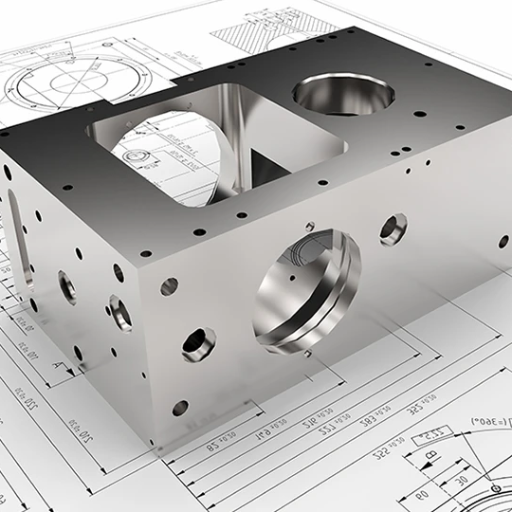
CAD File Preparation for CNC Machining enables the creation and fine tuning of digital design files in order to enable CNC machines to correctly and accurately interpret the files. The digitizing process consists of organizing geometries, checking dimensions, and formatting the file to fit the machine requirements. Such preparation allows economic production and minimizes errors, and manufacturing time can be saved. By following detailed parameters and having tight tolerances , manufacturers can expect more productivity and better output.
Computer-aided design (CAD) files are important in CNC machining as they form the basis for an efficient and accurate manufacture process. This is because they incorporate detailed two dimensional (2D) or three dimensional (3D) design information that the CNC machines will work with in shaping material into simple to complex parts. High quality CAD files have enhanced ease of production of items hence leading to more accuracy and minimization of losses of the materials used. They ensure effective communication of the design intent which in turn makes it possible for very tight tolerances to be produced. Moreover, a well-prepared CAD file will allow for fast prototyping, easy design changes, and full implementation of automation as facilities are scaled up without compromising on quality. It would be extremely difficult to achieve this kind of accuracy and dependability without high quality CAD files.
Regarding CNC (Computer Numerical Control) machines, one aspect that ensures positive results is the one associated with the use of CAD (Computer-Aided Design) files. Nevertheless, a larger number of CAD formats puts users in a position of complexity as to which method they should choose. This paper, therefore, focuses on the various popular formats of CAD files in CNC machines aside from highlighting the benefits, drawbacks, and areas of application for each. Irrespective of whether one is a designer, engineer, or a machinist, the table that will be presented in this chapter will show what format to use to avoid problems during machining and achieve the best quality possible.
STP, STEP, and IGES differ in their file standards, compatibility, and use in CAD and CNC machining processes.
| Parameter | STP | STEP | IGES |
|---|---|---|---|
| Standard | ISO 10303 | ISO 10303 | ANSI ASCII |
| Format | 3D Object | 3D Object | 2D/3D Model |
| Compatibility | Wide | Wide | Moderate |
| Purpose | Exchanging CAD | Exchanging CAD | Legacy Support |
| Accuracy | High | High | Varies |
| File Size | Moderate | Moderate | Small |
| Popularity | High | High | Diminishing |
Key Insight: A lot of people consider STP and STEP files as similar to each other. As they are standard ISO files, they are both predominantly used for the sharing of 3D models. IGES, having existed longer and accommodating both 2D and 3D models, however, is now generally being replaced by more accurate modern protocols. Such as STEP among others.
CAD File Preparation and Conversion: Best Practices for CNC Machining: At the time of selecting a particular format for a CAD file for purposes of CNC machining, compatibility, accuracy and convenience should be given first consideration. As such, it is recommended that STEP files be used since they are more accurate and have the ability to support complex 3D geometry. Besides, most of the CNC machines used today can use STEP files. The use of STL files is also common, however, this applies more to 3D printing and CNC machining that uses organic shapes or prototypes, and for such, they do not have the more detailed parametric information present in STEP files. While IGES is still used in some industries and has been around for some time, it is less accurate and in time will be replaced by STEP. In the end, it is all about the appropriate format which varies depending on the kind of machining done as well as software or hardware used.
In the analysis and evaluation of CAD models for CNC milling purposes, a careful and logical approach should be taken in order to ensure that the models are in line with the machining processes, have the required precision and do not contain any errors plus are efficient. The geometry and dimensions of the model should first be inspected to assess if they accommodate the demands of the particular project. For instance, is the machining possible keeping in strict tolerances and are there no defects such as surface intersection or fishing line which might complicate milling. In addition, the design should be checked for manufacturability, for example, minimum wall thickness, chicken and egg cut, and draft angles. In addition, note if any features will be discriminated against as they require dedicated instruments or special machining in order to machine.
Contemporary CAD applications most often incorporate the development of virtual models including locomotion simulations of a milling machine – tools in their imperfection. This may be useful for situations such as limited access of the tool, or structural weaknesses which may appear due to undertaken machining. Inevitably, visit machinists, run CAD model checks with their input which will assist in adjusting the designs to the output of available CNC machine and cutting elements. CAD File Preparation emphasizes good practices and methods in order to consistently achieve successful CNC milling operation after operation with desired quality.
Technical drawings are significant in CNC programming as blueprint documents for the toolpath. In the initial steps of preparing such drawings, one must make sure that all the features of the machine parts are specified correctly in terms of size, fitting and type of material. To provide an all-inclusive depiction of the various elements of the structure, it is important to apply such views as are standard, transverse, horizontal or transitory axes. Designate all significant details appropriately including thread forms, surface texture requirements, or unforgiving essential dimensions which are functional. If needed for the presentation of unobservable elements, sectional views can be inserted as well. Most importantly, it is good practice to follow established industrial norms such as the ISO or ASME in order to promote easy interpretation of the drawings and extreme clarity in the structure. That way machinists can refine the design with a higher level of accuracy.
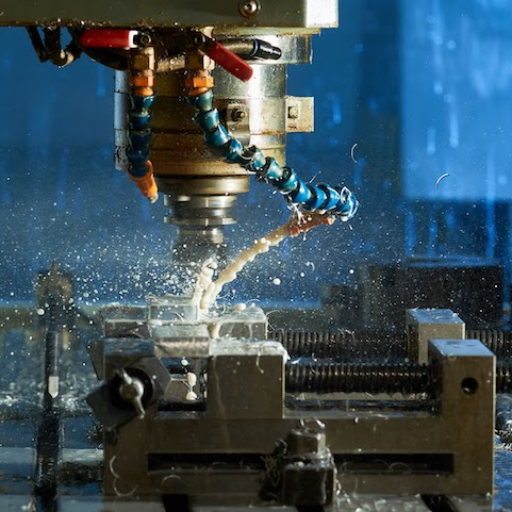
When making a CNC machining STP file, it is necessary to make sure that all geometric shapes required for machining are present and correctly placed in the prepared file. The first step will check the 3D drawing and confirm its integrity and consistency with the part, and also that every feature of the part is created accurately. Surfaces where overlaps occur should be repaired, replaced, or deleted, and adjacent surfaces should be checked for gaps, which, if they are present, should be eliminated because they cause complications during machining of the part. Moreover, the file should be saved with the units of measure that are right so as not to face any scaling differences. The processing of a model would have to be checked for manufacturability which includes features like holes, pockets, threads, or any other elements through which that feature can be machined and also the size that can be machined. Thus an STP file will be produced that is in perfect condition for CNC milling.
While exporting a solid model into a STEP format, I first make sure that the geometry is complete and devoid of any errors, like overlapping surfaces and gaps, as they may lead to difficulties when machining. I assess the dimensions of the model correctly and make sure that it is saved in the correct units; this helps to avoid scaling issues. I also check the features such as holes and threads making sure that they are within the machine capabilities manufacturing it. These also facilitate the CNC operation and with the file remaining functional.
Adhering to these basic rules would help enhance the precision and effectiveness in carrying out CNC operations using the is, this file format.

Ensure that all dimensions are marked rightly. Unmarked or wrong dimensions carry the chance of machining error that results unwanted monetary loss.
Under no circumstances should impossible geometries–machinability being the operative word–be internal to design. Simplify what you can to ensure that your design is properly optimized for CNC manufacturability.
Put the just perfect tolerances into any model. Tight tolerances,unless necessary, will only lead to increased time and cost of production.
Always export the product in a machining language e.g. IGES or STEP to make it compatible with CNC software.
One must have in mind the material properties. The not having material properties consideration leads to poor machinability, tool wear, and even incomplete components.
Hence, undoing the above said errors heals a file that is highly precise, fully efficient, and perfect for successful CNC machining.
An incredible amount of manufactured parts can be affected so much by tolerance issues. Tolerances allow for a specified deviation which guarantees the assembled part will fit and work efficiently. That is, too tight a tolerance will end up in a part relying on further process steps or special tools and thus increasing both cost and lead time. Conversely, critically loose tolerancing can result in an ill-fitting part that damages the operation or safety of the assembly.
During the process of tolerancing, several forces like thermal expansion, tool wear, and material properties need to be carefully considered. Accordingly, parts must be ideally designed to match functional requirements and maximize the shop efficiency and cost efficiency by balancing between precision and manufacturability.
For ensuring the compatibility with CNC machines, designs will have to have features that go in sync with the machines’ capabilities (needs). It can be started by utilizing standardized dimensions and tolerances matching to industry practice and will be machine-friendly. Avoid using extremely complex geometries because they will need specialized tools or prolong machine time. Material options keep in mind that should be coordinate with cutting tools and speeds used by CNC processes. Clear, detailed, and accurate styles of CAD drawings ease the transfer of information between the design and the manufacturing processes, thus reducing errors and delays. By knowing the shortcomings as well as strengths inherent in CNC machinery, designers can design components that are functional and efficient to lay hands on.
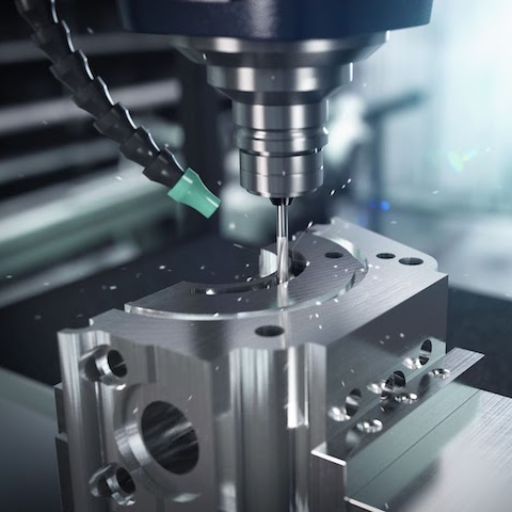
A tool that really suits the material can bring the milling magic out of the part and also derive accuracy.
You should go for an appropriate level of cutting speed and feed rate according to material properties, tooling restraints, and tool points so that tool breakage and accuracy increase.
Validating the CAD design and checking the CAM toolpaths before machining is advisable. This will help you fix any design errors that could be expensive.
CNC machineries should be put on a schedule; maintenance will ensure surface movement stays precise.
Run simulations to mill process, aim to spot potential errors, perform test cuts on non-critical materials before production
Critical workholding is important to reduce any shifting or vibrations, which could compromise dimensional precision during milling.
The application of these strategies lets machinists and engineers cut down errors and hence improve part quality and increase throughput by quite a bit ninety percent.
The right approach consisting of strategic planning, advanced technologies, and strict continual evaluation is to be taken in order for a firm’s processes to get to the point of being efficient. Consequently, the implementation of lean principles performs very well by eliminating waste while also highlighting answering unitask, and value-added activities taking place. Robotization, as well as automated software systems, deliver a quicker route to operations and, in doing so, get rid of the tedious nature of specific jobs, which in turn lowers the time of processes that must be done with very high accuracy. In this regard, the capability of real-time data monitoring and analytics to perform some detective work with the machines themselves is beneficial for process adjustment leading to avoidance-based intervention.
Workforce training programs are another very crucial strategy to equip the employees with their competencies and tools to pinpoint inefficiencies and better utilize high-tech technologies. Things like collaboration tools and a smoothly working communication system elevate team coordination and reduce delays, thereby enhancing productivity. Combining such practices with the latest mods of IIoT and AI-enabled applications, producers can achieve a great deal of efficacy and remain competitive in the fast-paced business environment.
CAD models are decisive for testing and prototyping because they provide an actual digital representation of a product. The models find the application to simulate real-world conditions and analyze performance while spotting potential problems at the very beginning of the design phase. So conducting tests virtually eliminates the need for prototypes. This saves time and resources. CAD models also support the iterative design process, assisting in making constant adjustments and improvements until the path to physical production is opened. This way, they serve to enhance the product quality while minimizing costs and lead time.
An Overview on Five Approaches for Translating CAD Data into Manufacturing Information
This paper discusses the use of CAD files in IGES format and their application in machining processes.
Read on World Scientific
A STEP-Compliant Process Planning System for CNC Turning Operations
This study explores the use of STEP files for interoperable CNC manufacturing and feature recognition from CAD files.
Access on ScienceDirect
Development of the PC-Based Integrated Interface System of STEP File for CNC Machining Application
This research highlights the migration from IGES to STEP files and their application in CNC machining.
View on UTHM Publisher
CNC Machining Handbook: Basic Theory, Production Data, and Machining Procedures
This handbook covers best practices for formatting CNC programs and CAD file preparation.
Access on Google Books
2D technical drawings in CNC are critical because they communicate geometry, tolerances, and surface finish in a clear and standard manner. Even if you use 3D CAD, a clear 2D drawing will help the machinist assess key dimensions, machining accuracy requirements, and dim-dimensional relationships to reduce machining costs and avoid costly errors by file conversion.
It is necessary for the CAD designer and the CNC machinist to share the professional tools between them, such as native CAD files, exports in neutral formats (like STEP or IGES), detailed 2D drawings and a concise machining brief. The materials, surface finish, tolerances and an indication of feature priority to facilitate CAM software in determining the best toolpath so that the machine (milling or whatever it is) can produce parts within specifications.
To prepare 2D drawing files for rendering into a parts, dimension all the features involved, specify the geometric tolerancing, talk of datums, and present machining tolerance, surface finishes, and material requirements. Use the right CAD settings for your software to build all views in proportionate scales, and thereafter, make a PDF or DXF file for your machinist to clarify the parts before CNC machining. Numerous 2D technical drawing files will eliminate ambiguities, enhance cnc machining.
Whenever it is possible, native CAD files like SolidWorks or Inventor are the best type of files to submit, then neutral types like STEP for geometry exchange and DXF for 2D profiles can be used together. Additionally, a PDF of 2D drawings should be provided, as it will serve as a reference for human intermediaries. In case your workshop utilizes another CAD-CAM software system, you should ask about the preferred file extension-system of that environment, thus eliminating the problem of file not opening or avoid limitations that may come with converting the file.
In such examples, both CAM and CAD software are selecting toolpath strategies, feed/speed outputs, and the respective simulations for collision avoidance. Further, a higher quality CAM program will have parts machined more quickly and improve surface finish and tolerances. By virtue of integration or adopting compatible file formats, a seamless link between CAD and CAM is possible, with concurrent possibilities of data loss prevention and precise CNC machining of complex parts.